Price AI Maintenance Retainers and Survive the Day 2 Problem
An AI maintenance retainer protects your margins when third-party API updates break client workflows. Learn five pricing models for ongoing maintenance.

You shipped the automation. The client loved it. You got paid, posted the win, and moved on. Then six weeks later an urgent Slack message arrives: the workflow is broken, data is not flowing, and they need it fixed today. You pause your other client work, dig into the logs, discover a third-party API changed its response format, patch the integration, and ship a fix at 11pm. You do not bill for it, because you never set that expectation. This is the scenario that quietly bankrupts freelance AI builders, and the only protection is an AI maintenance retainer priced before launch, not after.
Stay in the loop.
Get the latest posts and exclusive content delivered to your inbox.
Join 20 readers. No spam. Unsubscribe in one click, anytime.
The Hidden Margin Killer in Your AI Side Hustle
Most advice for starting an AI automation business stops at the build. Find a problem, design a workflow, connect the APIs, deliver it, invoice the client. The story ends there. What actually happens after delivery is a different and far more expensive story.
Third-party APIs update their models, endpoints, and data structures on their own schedules. OpenAI deprecates older model versions and provides a window before they stop working, but if you are not tracking that window, your client's workflow simply breaks one morning. Zapier and Make.com can change how individual app integrations behave when underlying platforms update their own APIs. Every connection your workflow depends on is a connection you do not control.
The result is that every deployed automation is a ticking maintenance liability. If you have not priced that liability into an ongoing retainer, you are absorbing the cost yourself, one unpaid emergency session at a time.
Understanding the Day 2 Problem in AI Automations
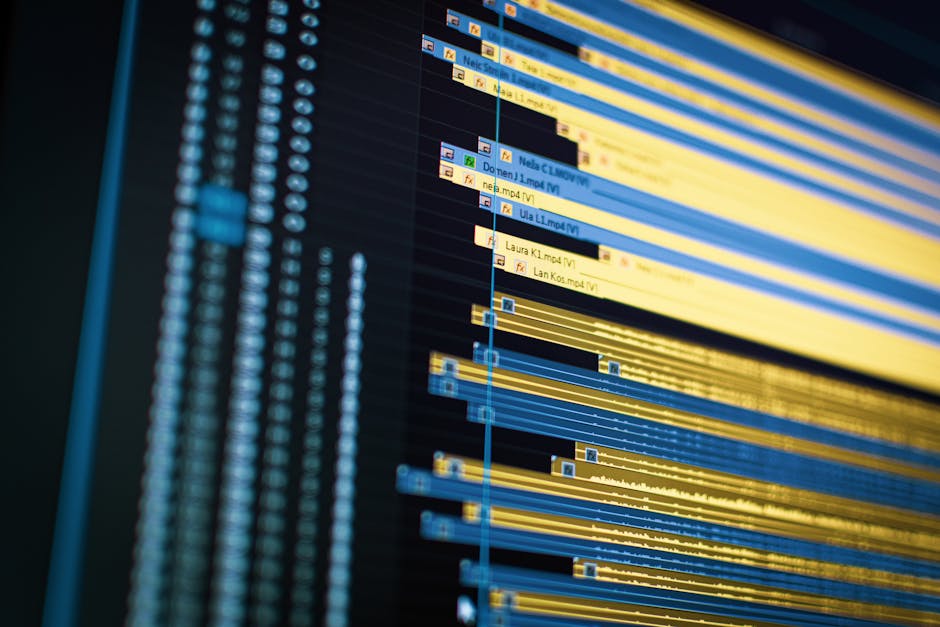
The software industry has a name for this. Day 2 problems are the issues that surface after planning (Day 0) and initial building (Day 1) are complete, when a system has to actually keep running in production. Software engineers have long recognized this pattern of post-deployment maintenance challenges, and it applies directly to AI workflows.
In traditional software, the code produces the same output until someone changes it. AI workflows are different. A model update can shift how a prompt is interpreted, meaning the same input starts producing different results with no code change on your end. An API integration that returned a clean JSON object yesterday might return a restructured object today after the provider ships an update. An automation platform might deprecate a module or change authentication requirements.
Why AI Workflows Break More Often Than Traditional Software
Several forces combine to make AI automations particularly fragile:
- Model updates change output behavior without warning, even when the prompt stays identical
- API versioning and deprecation alter data structures and endpoint behavior across every connected service
- Rate limits and quota changes can silently throttle workflows that previously ran without issue
- Platform changes in tools like Zapier or Make.com can modify how individual integrations behave
Understanding API integration pitfalls helps you anticipate these failures, but anticipation alone does not pay for the repair work. That requires a pricing model.
The True Cost of Free Emergency API Repairs
Here is where the math gets painful. Say you sold an automation build for $4,000 and estimated 40 hours of work. That is a $100 effective hourly rate, which feels good.
Now add the post-delivery support you did not bill for. Over three months, the client reports a broken integration twice. Each time you spend 6 hours debugging, reading changelogs, rewriting parsing logic, testing, and deploying. That is 12 unpaid hours.
Your effective rate just dropped from $100 to roughly $77 per hour. Add a third incident, a client question about why outputs changed, and a quick "small favor" to adjust a prompt, and you are closer to $65. Keep going and you approach the rate you could have earned at a regular job, with none of the stability.
The problem compounds because the client does not see the unbilled hours. From their perspective, the automation works and the project is complete. From yours, every passing week adds liability to a project you already invoiced for.
This is why free post-delivery support functions as an unplanned discount on work you have not done yet.
Five Pricing Models for Your AI Maintenance Retainer

Choosing a pricing model is a tradeoff between revenue predictability and margin protection. Each model below handles the Day 2 problem differently, and the right fit depends on how many API dependencies the workflow has and how much revenue rides on uptime.
| Model | Typical Monthly Price | Best Client Profile | Main Risk |
|---|---|---|---|
| Flat Monthly | 15 to 25 percent of build cost | Predictable, moderate needs | Frequent breakers eat your margin |
| Hourly Bank | $750 to $1,500 (5 to 10 hrs at $150) | Fluctuating monthly needs | Unused hours create value friction |
| Tiered Support | $300 to $2,000 by tier | Risk averse, budget flexible | Scope creep between tiers |
| Per Incident | $200 to $500 per ticket | Resists recurring fees | Unpredictable revenue |
| Uptime SLA | $1,000 to $3,000 | Revenue-dependent workflows | High obligation if you miss SLA |
These ranges are illustrative estimates that vary by project complexity, client size, and geographic market.
1. The Flat Monthly Retainer
The client pays a fixed monthly fee covering a defined bucket of maintenance hours and bug fixes, with overage billed at your hourly rate. A simple data-sync workflow built for $3,000 might carry a $500 monthly retainer covering two hours of maintenance. Easy to sell, but it undersells your value if the workflow rarely breaks.
2. The Hourly Bank Model
The client prepays for a block of hours each month, with unused hours expiring to guarantee your recurring revenue floor. The AI-specific risk: model evaluation cycles and prompt re-engineering burn through hours faster than clients expect. A single deprecation can force you to test replacement models, rewrite prompts, and validate outputs across multiple workflows in one sprint. No-roll-over terms ensure that work is billable.
3. The Tiered Support Package
Three tiers with defined service levels, from basic monitoring to premium priority response. Structure tiers around API dependency count and model-update frequency, not just response speed. A workflow with one OpenAI call needs less active monitoring than one chaining five APIs across three providers. Clients running revenue-critical automations on bleeding-edge models belong in the top tier because their integration surface breaks more often.
4. The Per Incident Model
No monthly fee. The client pays per incident. This works for simple single-API workflows but misprices AI systems. One model deprecation can cascade across multiple workflows simultaneously, generating five tickets from one root cause. Per-ticket pricing turns that cascade into a discount on your emergency repair work. Reserve this model for clients with isolated, low-dependency automations.
5. The Uptime SLA Model
You guarantee a specific uptime percentage and response window, priced as a monthly premium. This is the highest-value model because you sell a business outcome rather than your time. A multi-step pipeline with three API dependencies built for $12,000 might carry an SLA retainer of $2,500 monthly, because the client's revenue depends on it running. This frames maintenance as insurance for critical operations rather than a technical fee. A monthly retainer pricing guide can help calibrate the numbers, but the model you choose matters more than the exact price.
The flat retainer is the easiest entry point for a first client. But the SLA model is where real margins live, because it prices reliability rather than time. Once you have reference accounts proving structured maintenance works, move toward SLA pricing.
How to Pitch Maintenance Without Scaring the Client
The biggest fear freelancers have is that pitching a retainer will kill the deal. In practice, clients are more receptive when you frame it correctly.
The wrong frame is technical. If you say "APIs might break and I will need to fix them," the client hears "this thing is fragile and you are not sure it works." That undermines confidence in the build.
The right frame is operational. Every business system the client relies on has ongoing maintenance costs. Their CRM, their accounting software, their website hosting. Your automation is no different. Frame the retainer as uptime insurance for a critical business operation.
"This automation now handles a process your team depends on daily. Like any production system, it needs monitoring and maintenance to keep running reliably. The retainer covers proactive monitoring, API updates, and priority fixes so it stays operational."
That is a service, not a fee. The client is buying peace of mind, and you are selling the product of your ongoing attention.
Pitch the retainer during the initial scoping call, not after delivery. Building it into the proposal from the start normalizes it. Clients who push back are signaling they view this as a one-time purchase, which tells you something important about the account before you invest the build hours.
Building AI Workflows That Survive API Updates
A retainer only stays profitable if the workflows you maintain do not require constant emergency intervention. Defensive building techniques reduce the frequency of breakdowns so the retainer becomes margin rather than break even survival.
Error Handling and Graceful Failure
Build error handling into every workflow node. When an API call fails, the workflow should log the error, notify a human, and continue processing other items rather than silently dying. Make.com provides built in error handling modules that let you route failed operations to recovery paths, and understanding standard API error codes helps you build appropriate responses for each failure type.
Version Pinning and Deprecation Monitoring
Pin your API calls to specific model versions wherever possible. OpenAI maintains a deprecation schedule that tells you exactly when older models will stop working. Track these dates in a calendar so you can update workflows on your schedule, not at 2am when production breaks.
Logging and Observability
Every workflow should record its inputs, outputs, and status for each execution. When something fails, you need to see exactly what the API returned and where the workflow diverged. Without logs, debugging is guesswork, and guesswork takes longer, which eats your retainer margin.
Modular Architecture
Build workflows in discrete modules rather than one monolithic chain. When a single API connection breaks, you should be able to isolate and repair it without rebuilding the entire workflow. This is the difference between a 30 minute fix and a 3 hour emergency session.
Setting Boundaries That Protect Your Margins
A retainer without boundaries is just free support with a different name. Every maintenance agreement needs clear terms that prevent scope creep and protect your time.
Define these terms explicitly in your agreement:
- Response time guarantees based on tier (next business day for basic, same day for premium)
- Monthly hour caps with clear overage billing for additional work
- Scope definition distinguishing maintenance (fixing what broke) from new features (building something new)
- Communication channels specifying where and how support requests are submitted
- Exclusions listing what the retainer does not cover (major platform migrations, client requested changes, third-party outages)
Setting freelance technical support boundaries makes the retainer sustainable for both sides. A client who understands the scope is a client who respects it. Use a retainer agreement template or service level agreement structure to formalize these terms so there is no ambiguity when a request lands outside scope.
A guide on how Zapier works shows how automation platforms abstract integration complexity, though they cannot shield workflows from breaking changes in underlying APIs. Your boundaries and your agreement are the real protection.
Transitioning Existing Clients to a Paid Retainer
If you already have clients on free post-delivery support, you need a plan to move them onto paid maintenance without losing the account. Here is a step by step approach.
Step 1: Audit the accounts. Identify which clients are consuming the most unpaid support hours. Prioritize the ones where the math is most damaging to your margins.
Step 2: Frame the change as a service upgrade. Position the retainer as formalizing a support relationship that guarantees priority response and proactive monitoring. The structured agreement replaces their current ad hoc, reactive support with reliable, scheduled service.
Step 3: Offer a transition discount. For the first three months, offer the retainer at 50 percent off the standard rate. This softens the change and gives the client time to experience the value of structured support before paying full price.
Step 4: Set a hard cutoff date. After the transition window, free support ends. Communicate this clearly and in writing. Clients who value the automation will pay. Clients who refuse were never going to be profitable accounts.
Step 5: Stop doing free support immediately for new clients. Every new build ships with a retainer in the proposal. No exceptions.
The clients you lose in this transition are the ones who were costing you the most. The clients you keep become the foundation of recurring revenue that makes your AI automation business sustainable.
Why the AI Maintenance Retainer Should Be Your Core Offering
Selling an AI automation once and walking away is a business model that mathematically degrades over time. Every deployed workflow is a future repair you have not been paid for. The builders who turn this into a sustainable business are the ones who treat the maintenance retainer as the core product, not an afterthought.
Price it before delivery. Define the scope in writing. Build defensively to protect your margins. And stop absorbing the cost of third-party API changes that you did not cause and cannot control.
Your effective hourly rate depends on it.
Stay in the loop.
Get the latest posts and exclusive content delivered to your inbox.
Join 20 readers. No spam. Unsubscribe in one click, anytime.
About the author
Dana Whitfield
Staff Writer
Dana covers the many ways people earn more, including quick-money apps, service-based work, digital products, and passive income, using rate surveys, marketplace data, and industry research.
Related Posts
ChatGPT Ads, What a $10 Daily Budget Actually Buys
ChatGPT ads are here. See what a small daily budget buys in AI answers, when ads pay off for a side hustle, and the freelance niche they create.
Best AI Website Builders Ranked for Side Hustle Income
We ranked the best AI website builders by real first-year cost, content lock-in, and conversion readiness, plus when to sell AI-built sites as a service.
Claude Code vs n8n Which Gets You Paid Faster
Claude Code vs n8n for side hustlers. n8n wins on cost and speed for most automation services. See the real unit economics per delivered project.