Apps That Pay Daily, Ranked by Real Payout Speed
Apps that pay daily, ranked by real payout speed after instant cashout fees, payout minimums, and pending holds. See when fast money beats higher pay.
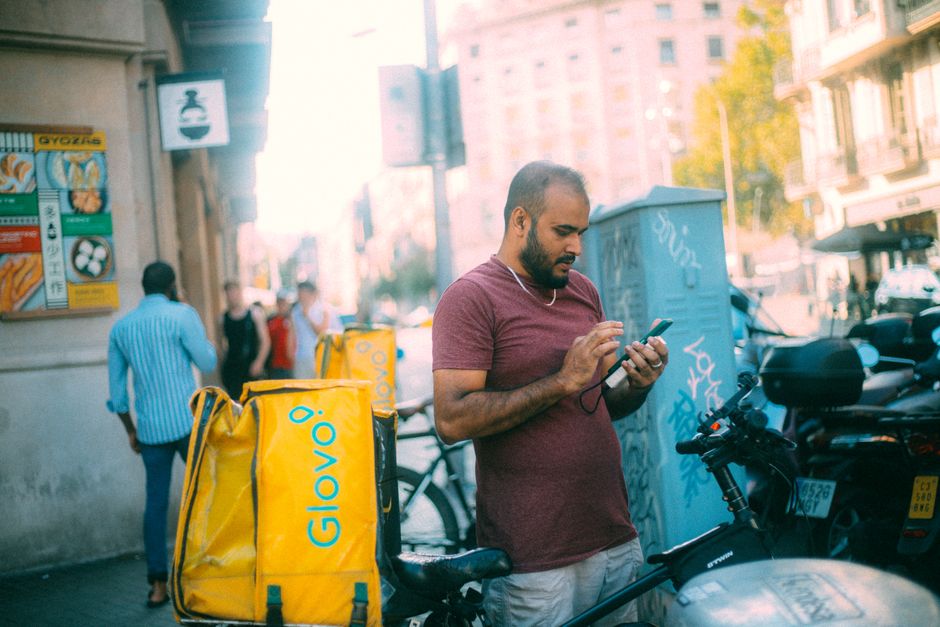
Pays daily is a marketing label, not a payment fact. On most gig apps it means a button unlocks sometime after your shift ends, and then a fee, a minimum, or a pending hold decides how much of your money actually reaches your bank today. Rank apps that pay daily by the only metric a cash-constrained worker feels, the minutes and cents between finished work and spendable cash, and the familiar list reorders fast. A big-name delivery app slides. A survey app most roundups ignore takes the top spot.
Stay in the loop.
Get the latest posts and exclusive content delivered to your inbox.
Join 20 readers. No spam. Unsubscribe in one click, anytime.
Most roundups of fast paying side hustles and same day pay gig apps stop at the name and the promise. This one prices the payout itself: fee arithmetic you can replicate at home, minimum thresholds that trap small balances, weekly holds dressed up as daily buttons, and the contractor-status catch that can strand pending pay after a deactivation. You will finish with a one-line rule for when payout speed should pick your app and when headline pay should.
The Three Gates Behind Every Daily Pay Claim
The number that matters is payout latency: elapsed time between finishing the work and spending the money. Advertised daily pay measures something else, the moment earnings register inside the app. Between those two moments stand three gates, and every pays-daily claim is really a claim about how many gates the app leaves standing.
Gate 1, the instant cashout fee. Nearly every platform runs two rails. The free rail is a standard deposit that typically lands within one to seven days, depending on the app, your bank, and the day of the week. The fast rail is a debit-card transfer that lands in minutes for a flat fee, commonly somewhere between $0.50 and $2.99 across the major apps, a range that shifts often enough that you should verify the current number in the app itself.
Gate 2, the payout minimum. Many apps refuse to release a transfer until your balance clears a threshold, often a few dollars up to $10 or more. Finish one short shift and your money can sit below the line, untouchable. Irregular earners, the very people chasing same-day money, are the most exposed to this gate.
Gate 3, the pending hold. A slice of earnings, often tips, incentives, or batch pay, posts to a pending balance that clears hours or days later. Pending money is invisible to the cash-out button no matter what the homepage promised.
Grade any app on the three gates in under a minute, before accepting a single order: how many days does the free route take, how many dollars does the fast route cost, and how much of today's work is actually available right now?
What Instant Cashout Fees Cost Over a Year

A flat fee looks harmless at the confirmation screen, which is the only place the app wants you to see it. Run the same number over a year of shifts and it stops looking harmless.
Finish a $30 shift and pay a $1.50 instant cashout fee to move it now instead of in three days. That fee is 5 percent of the payout ($1.50 ÷ $30). Repeat five times a week and you are paying $7.50 weekly, roughly $390 a year, purely for early access to wages you had already earned.
Now annualize the acceleration. Paying 5 percent for three days of speed implies an annualized rate around 600 percent, since a year holds about 122 three-day periods. That figure is a framing device rather than a literal loan, but it is the honest way to describe renting your own wages for a few days, and the framing is not fringe. Whether fees for early access to earned pay behave like credit charges is exactly what federal consumer regulators have been weighing, and the CFPB's earned wage access guidance is the document to read on how they think about it.
Two details make these fees worse than the sticker suggests:
- You are buying days, not weeks. The fee never races a monthly paycheck. It accelerates a short gap that the free route would close inside a week anyway.
- Small payouts pay the highest effective rate. $1.50 on $30 is 5 percent. The same fee on a $120 day is 1.25 percent. The less you earned, the bigger the bite, which lands hardest on the short, slow shifts people take precisely when money is tight.
So are instant cashout fees worth it? Sometimes, and the buffer rule near the end of this article gives you the exact test.
Five Apps That Pay Daily, Ranked by Payout Speed and Cost
The ranking method is simple: free beats fee, instant beats days, no minimum beats a threshold. Every gate an app adds pushes it down the board, regardless of how loudly it advertises daily pay.
| Rank | App | Free route | Instant route | Payout minimum | The catch |
|---|---|---|---|---|---|
| 1 | Qmee (surveys, work from home) | Instant PayPal, free | Not needed | None advertised | Earnings per task are small |
| 2 | Uber (driving) | Bank deposit within days | Flat fee, commonly around $0.50 | Small or none reported | Instant needs a supported debit card |
| 3 | DoorDash (delivery) | Weekly standard deposit | Flat fee per cashout, commonly about $2 | None commonly reported | Fast Pay unlocks only after dash history |
| 4 | Instacart (shopping) | Weekly batch deposit | Fee commonly under $1 | Commonly around $5 | Tips and some batch pay settle later |
| 5 | Amazon Flex (delivery blocks) | Scheduled weekday sweeps | Generally not offered | Not applicable | Sweep timing, not you, decides |
Treat those cells as a shape, not a quote. Platforms change fees, minimums, and holds without press releases, so confirm the numbers in the app before you build a budget on any of them.
A few notes on the movers. DoorDash sits mid-board because its fast rail works but costs, and eligibility is the quiet part: the instant option unlocks only after you have dashed for a while and linked a supported debit card, with the current rules on the DoorDash Fast Pay help page. Uber's instant fee has long been among the cheapest of the driving apps, which earns it second place even though the free route still takes days. Instacart pairs a cheap instant fee with a payout minimum and pending tips, three gates where Uber offers two, and on a short shop day the minimum can strand you entirely. Grubhub's Instant Cash Out follows the same fee-plus-debit-card pattern and slots in around Instacart's position. Amazon Flex charges nothing and moves nothing on demand; payouts run on scheduled sweeps, commonly weekly, so money arrives free but on the platform's calendar, with the current cadence documented in the Amazon Flex payout FAQ.
Work From Home Apps That Pay Daily Instantly
The work-from-home corner is where payout friction collapses, even though hourly pay is lower. If you are hunting for which gig apps have free instant cashout, or building a list of gig apps with no payout minimum, Qmee is the cleanest example: survey and offer rewards post immediately, you can cash out any amount, free, straight to PayPal, and Qmee's payout FAQ confirms the no-minimum setup. The trade is obvious and honest, you give up driver-level hourly pay for rails with almost no friction.
Amazon Mechanical Turk sits a step behind on speed. Transfers are free, but the manual bank transfer commonly takes a few business days, new accounts face an initial waiting period before the first payout, and gift-card redemption is instant only in the sense that your money lands inside Amazon's walls. MTurk's worker help pages track the current timing. For work from home jobs that pay daily with no fee, Qmee's model is the benchmark: instant, free, no threshold.
Pending Balances and Weekly Holds Behind Daily Buttons
Daily describes the button, not the balance. Even on apps with a genuine instant rail, part of your earnings is usually a few days behind you:
- Tip settlement windows. Customers can often adjust tips for hours after a delivery, so tips sit in pending status until the window closes and the money becomes available.
- Incentive and bonus pay. Quests, challenges, and batch incentives typically pay on their own schedule, sometimes days after you qualify.
- Weekly sweeps behind daily buttons. Some apps let you tap cash out daily while routing a portion of pay through a weekly batch. The button is daily; the plumbing is weekly.
Spotting the trick takes one habit. Read the earnings screen for three labels: "available" means movable now, "pending" means earned but locked, and "lifetime" or "total" includes money you cannot touch yet. Any app's payout terms will also use words like pending, processing, or settle; search the terms for those before trusting a daily pay ad.
How long does it take to cash out gig earnings in practice? Realistic bands: a debit-card instant transfer lands in minutes for the fee, a free standard payout lands within one to seven days, and free transfers initiated late in the week often post the following week because standard bank rails sit quiet on weekends. Time free cashouts before Thursday, or pay the fee and stop thinking about it.
What Happens to Pending Pay After Deactivation
Deactivation is the gate nobody advertises. Do you lose pending earnings when a gig app deactivates you? The money is generally still owed to you, but almost nothing forces it to arrive quickly, and deactivation frequently coincides with a dispute, fraud review, or account check that freezes everything at once.
The structural reason is contractor status. Gig workers are generally independent contractors rather than employees, and most state final paycheck deadline laws were written for employees, so the timelines that force a fast final payout often do not apply. Contractors are usually left to the platform contract, which tends to favor arbitration over speed. A survey of state final paycheck laws shows how much the deadlines vary and whom they actually cover; check your own state before assuming protection.
Protective habits:
- Cash out before a dispute escalates. If you intend to challenge a customer claim, a support ticket, or a rating, move your available balance first. Once an account is under review, transfers typically stop.
- Screenshot your balance and payout terms. Dated screenshots are the cheapest evidence you will ever collect if a payout goes missing.
- Read the arbitration clause before you need it. Knowing whether you waived class actions or agreed to a specific dispute process changes your options from day one.
When Fast Cheap Money Beats a Higher Wage
The choice between payout speed and headline pay is a liquidity question, and liquidity is a fact about your checking account, not the app. Hence the rule:
- With a few weeks of expenses buffered, rank apps by net hourly pay and let the free weekly route deliver the money. Batch everything, skip the fees, and keep the roughly $390 a year the daily-fee habit costs.
- Without a buffer, prioritize free or near-free instant access, even at a modestly lower wage. When waiting costs you an overdraft, a late fee, or worse, the fast rail is the cheap option.
The math that keeps this honest is hourly drag: the instant fee divided by the hours banked since your last cashout. A $1.99 fee after a single four-hour shift drags about $0.50 per hour off your effective rate. Batch that same cashout every third shift and the drag falls to roughly $0.17 per hour. Meanwhile, a wage gap between two apps is usually measured in whole dollars per hour, so a genuine net hourly difference almost always beats payout convenience when you can afford to wait.
That closes the earlier loop. Are instant cashout fees worth it? Pay the fee when waiting costs more than the fee, meaning overdrafts, late charges, or a genuinely empty tank. Skip it whenever waiting is merely annoying. Apps that pay daily through a free instant rail make the decision easy; everything else is arithmetic on your own numbers.
A Checklist for Cheap, Fast Payouts
- Batch your cashouts. Move money every two or three days instead of after every shift. The same fee covers more hours and the hourly drag collapses.
- Learn each app's free schedule. Note the weekly sweep day and initiate free transfers early enough in the week to clear before the weekend gap.
- Clear minimums before slow periods. Holiday weeks and end-of-month dead zones are the worst times to sit a few dollars below a payout minimum. Sweep balances down before the calendar turns.
- Check the last mile. The app's payout is only the first hop. Your bank's posting times matter, and moving money onward from a wallet, say PayPal to your bank, often carries its own percentage fee for instant transfer.
- Confirm the fee at the screen. Apps display the cashout fee before you confirm. Read it once a month; quiet fee changes are the norm, not the exception.
- Track payout cost per $100 earned. Add up a month of fees and divide by earnings. Daily pay apps should keep this near zero, and if you are paying more than a couple of dollars per hundred, something in your setup is mispriced.
Headline pay fills the tank. Payout design decides whether the money is there when the bill clears. Pick by net hourly when you have a cushion, pick by payout friction when you do not, and never let a daily button do the thinking a five-minute calculation can do better.
Stay in the loop.
Get the latest posts and exclusive content delivered to your inbox.
Join 20 readers. No spam. Unsubscribe in one click, anytime.
About the author
Hannah Cole
Senior Editor
Hannah writes practical guides on building income outside a day job, from selling online to beginner investing, with a focus on clear explanations and real benchmarks.
Related Posts

Gig App Deactivation Can Cost Six Weeks of Pay
Gig app deactivation is a priceable income risk. Size the exposure, run the first 72 hours, and pre-build a multi-app stack that protects your pay.

Work From Home Transcription Jobs and the Real 2026 Pay Math
Work from home transcription jobs still advertise $15 to $30 an hour. The per-audio-minute math says otherwise. See real hourly pay for five platforms.

Money Making Apps for Beginners Ranked by Real Hourly Pay
Money making apps for beginners ranked by effective hourly rate after unpaid time, payout thresholds, and cash-out fees. See which apps actually pay.