How to Sell AI Generated Coloring Books on Amazon KDP
Learn the exact workflow to build and sell AI-generated coloring books on Amazon KDP. Discover prompt techniques, formatting rules, and realistic royalty expectations.

The internet is flooded with guides promising effortless wealth through AI art. The typical pitch tells you to generate a few images, upload them to a platform, and wait for the money to roll in. This is a dangerous half-truth. The reality is far more technical.
Stay in the loop.
Get the latest posts and exclusive content delivered to your inbox.
Join 20 readers. No spam. Unsubscribe in one click, anytime.
To successfully sell AI generated coloring books on Amazon KDP, you must abandon the prompt-and-upload shortcut mentality. The actual barriers to entry lie in surviving Amazon's strict quality review processes, managing technical file formatting, and navigating a deeply saturated market. Financial success depends entirely on mitigating these hidden frictions.
Furthermore, Amazon KDP currently requires sellers to disclose AI-generated content during the publishing process. You must disclose AI-generated content accurately when setting up your title. If you want to build a reliable side hustle, you need an operational workflow that treats this like a serious publishing business. Here is how to manage the entire process from initial prompt to final printed profit.
Finding Profitable Micro-Niches Before You Generate a Single Image
Niche selection is where most AI coloring book creators fail before they open Midjourney. The standard advice tells you to "go specific," but that tells you nothing about whether a specific niche will actually sell. You need a validation framework you can run in ten minutes, before you invest hours generating art for a book nobody wants.
Here is a practical heuristic. Pull up the Amazon search results for your target keyword and scan the first page. Count how many top results have fewer than 50 reviews. If every page-one title carries hundreds of reviews, a newcomer will not crack that ranking for months, if ever. But if you spot three or more page-one titles sitting under 50 reviews, the competition is thin enough that a well-optimized new release can land among them. That ratio is your demand-to-competition signal, and it tells you more than any keyword tool's abstract competition score ever will.
The problem is that certain AI-friendly niches are already poisoned. Search for "mandala coloring book" and the saturation signals jump out immediately: identical cover templates recycled across dozens of listings, titles stuffed with the same keyword strings, and interiors that look like the same prompt output rearranged slightly. When the top results all blur together, the niche is a race to the bottom on price. Walk away.
What you want is a micro-niche where demand exists but the existing listings are still rough. A few examples worth studying for the pattern, not copying directly:
- Anatomy coloring books for nursing students. Steady academic demand from buyers who care about accuracy, not aesthetic novelty. Most existing titles are low-effort photocopies of textbook diagrams.
- Intricate steampunk coloring for adults. A dedicated enthusiast audience with relatively few well-produced options. The theme rewards the detailed mechanical line work that AI handles well.
- Mindful coloring for grief and loss. The buyer is not browsing for fun but seeking a specific therapeutic experience. Most competitors treat it as a generic floral book with a sensitive title slapped on.
These work because they target a defined audience with real intent, not because the topic sounds quirky. Proper keyword research strategies help you find the exact search terms those audiences type. Validate before you generate a single image. To sell AI generated coloring books that actually move copies, the niche has to earn its place in your catalog first.
Generating Usable Art with Midjourney Coloring Book Prompts

Once you have a niche locked in, the art becomes the bottleneck. Here is the core problem nobody mentions in the YouTube tutorials: AI image models like Midjourney and DALL-E are trained on finished, colored artwork. They have no native concept of a printable coloring page. Their default output fights you with gray halftones, inconsistent stroke weights, and closed shapes that trap color. Midjourney coloring book prompts are not about appending buzzwords. They are about forcing the model to suppress its built-in shading instinct.
Negative prompts do more usable work than positive keywords. Appending --no shading, --no grayscale, --no gradients actively suppresses the depth and dimension the model wants to add. Plan to test at least five or six prompt variations on sample pages before committing to a full book. Front-loading this evaluation prevents the costly discovery, deep into production, that your chosen prompt produces unusable output on certain subject types. A proven prompt structure for Midjourney gives you a working starting formula, but iteration is where the actual work happens.
Generate at least four variants per page. The math is brutal: a 50-page book requires generating and manually reviewing over 200 images. Three problems dominate that review:
- Fatal artifacts: in my testing, roughly 1 in 4 images carries merged lines, gray smears, or enclosed areas too small for a colored pencil.
- Batch inconsistency: page 3 and page 47 must look like the same artist drew them. If your prompt drifts across sessions, line weights shift between early and late pages, and the book reads as a scrapbook.
- No session memory: Midjourney does not retain style preferences between sessions, so every sitting requires disciplined prompt tuning.
Cleaning Gray Artifacts from AI Line Art
Even after aggressive prompt engineering, expect gray residue in your output. Run every image through a contrast and artifact cleanup tool to crush contrast and strip remaining halftones. Your backgrounds must be pure white. Your lines must be solid black. Anything in between will look muddy on physical paper and trigger buyer complaints.
Upscaling and Vectorizing for Print
AI models natively output low-resolution raster files, typically around 1024 by 1024 pixels. Print requires 300 DPI at full trim size. You must convert images to vector formats or use a dedicated upscaling tool to reach the resolution that physical printing demands without introducing pixelation or edge softness.
Navigating Amazon KDP Requirements and AI Content Rights
Passing Amazon's print quality checks is where most creators give up. KDP requires a single PDF with specific bleed margins and minimum resolution, but the failures that kill AI-generated coloring books differ from those that trip up human-drawn titles. AI art introduces three specific problems: resolution mismatches from rasterized 1024 by 1024 output, gray artifacts that fail automated contrast checks, and batch inconsistency that violates interior uniformity. Every formatting decision below exists to solve one of those three.
The official manuscript file requirements detail every specification Amazon enforces. Learning how to format coloring book pages for KDP is the most technical hurdle in this side hustle, and AI art makes each one harder.
Bleed and Margin Setup
Coloring books typically use a bleed layout where artwork extends to the page edge. This is where AI interiors fail most often. Your source images are 1024 by 1024 pixels. A standard 8.5 x 11 inch trim at 300 DPI requires 2550 by 3300 pixels. Upscaling raster art to fill that canvas introduces edge softness that Amazon flags as low resolution.
- Bleed: 0.125 inches on all outer edges
- Gutter: 0.375 inches minimum for books under 150 pages, increasing with page count
- Resolution: 300 DPI, which is why vectorizing or upscaling AI output is mandatory
- Trim: 8.5 x 11 inches is standard
Merging Images into a Compliant PDF
Merging upscaled images into one compliant PDF requires dedicated book formatting software. Word processors compress images during export, which destroys the crisp black lines your cleanup produced. AI line art is especially vulnerable because the contrast between residual gray and pure black is fragile, and compression flattens that difference further.
ISBN Strategy for AI-Generated Content
KDP provides a free ISBN, and for this workflow it is the rational default. The reason is specific to AI content: since AI-generated images generally cannot be copyrighted (as detailed below), a purchased ISBN adds no exclusivity or legal protection. It identifies your edition in retail databases but does not stop competitors from scraping and reselling your interior pages. The money is better spent on cover production, which faces the same upscaling and vectorization requirements as interiors.
Avoiding Common Quality Check Failures
Amazon's review flags three failure modes that AI interiors amplify. The most common quality check failures map to these directly:
- Gray artifacts: verify backgrounds exceed 95 percent white and lines fall below 5 percent black before PDF assembly.
- Resolution: confirm every image hits 2550 x 3300 pixels at 300 DPI.
- Batch drift: compare first and last pages for stroke weight drift before submission.
Copyright and AI Art Ownership on KDP
Here is the practical reality: because AI-generated images generally cannot be registered for copyright, a competitor can scrape your interior pages and resell them with limited legal recourse on your end. The individual images are effectively unprotected. That is uncomfortable, but it is the current landscape.
The one lever that still works is human arrangement. If you manually curate, sequence, and edit the pages into a coherent collection, that compilation can qualify for copyright even if the individual images do not. The more editorial judgment you apply to the order, pacing, and thematic structure, the stronger your claim becomes.
As covered earlier, Amazon also requires you to disclose AI-generated content during the publishing setup. That disclosure is an obligation, not a substitute for understanding what you do and do not own once the book goes live.
Calculating Realistic Amazon KDP Royalties After Fees
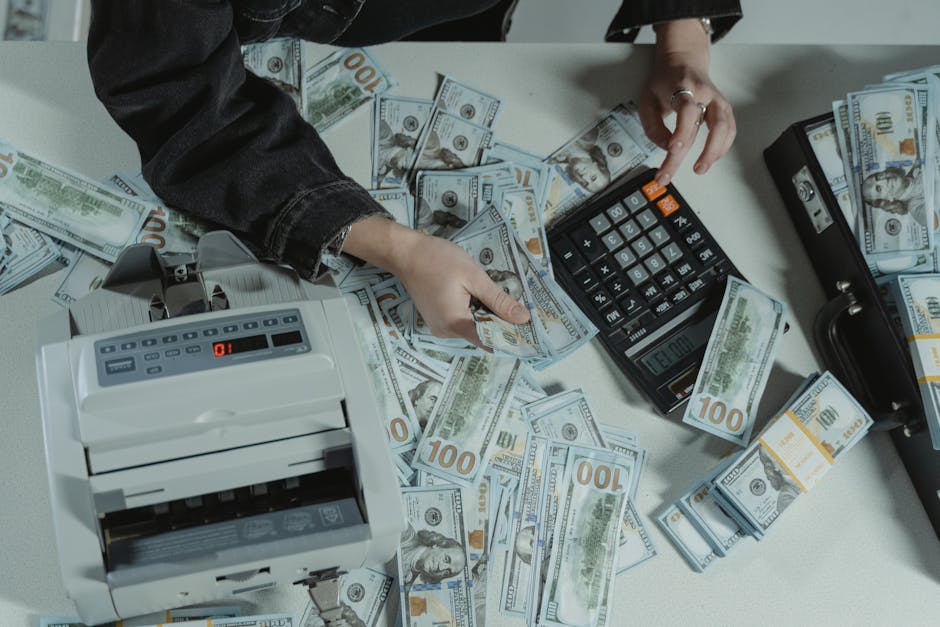
The math is where the myth of effortless passive income AI art usually dies. Amazon deducts a flat printing cost from the retail price before the author receives their royalty, severely compressing margins on low-priced coloring books.
Standard vs. Expanded Distribution
Amazon pays a 60% royalty on the list price under standard distribution (Amazon.com and your own storefront). That rate is not universal. Expanded distribution, which extends your book to wholesalers and physical retailers, drops the royalty to 40%. Printing costs can also rise under expanded distribution, further compressing margins.
The standard formula:
Royalty = (Distribution Rate times Retail Price) minus Printing Cost
For a 100-page black-and-white paperback, printing costs typically run $2.05 to $2.40 depending on channel and territory. The table applies $2.40 uniformly across both columns to isolate the rate gap:
| Retail Price | Standard (60%) | Expanded (40%) |
|---|---|---|
| $6.99 | $1.79 | $0.39 |
| $8.99 | $2.99 | $1.20 |
| $11.99 | $4.79 | $2.40 |
(Printing costs fluctuate by territory and distribution channel. Expanded distribution often pushes per-unit printing costs higher, which further erodes the 40% tier. Always verify your exact configuration with the Amazon KDP royalty calculator before finalizing your price.)
Why Thin Margins Demand a Catalog Strategy
Expanded distribution rarely makes sense for coloring books priced below $10. At $8.99, standard distribution leaves you $2.99. Expanded drops that to roughly $1.20, before the higher printing costs the expanded tier often adds. At $6.99, expanded distribution leaves you under forty cents per sale. Most coloring book publishers stay on standard distribution and focus on Amazon's internal audience.
Even under standard distribution, the floor is tight. KDP's technical minimum list price for a 100-page black-and-white paperback sits near $4.09 in the US, but listing that close to the floor earns pennies per sale. The practical profitability floor, where each book earns a worthwhile margin, sits nearer to $5.99 or higher. The catalog strategy in the next section is not optional growth advice. It is a financial necessity when each book earns under $3.
Sustaining Sales in a Saturated KDP Market
The royalty math from the previous section makes one thing clear: a single book earning under $3 per sale cannot sustain a business alone. But the marketing challenge for AI-generated coloring books runs deeper than margins. Buyers have been burned by gray smears, muddy halftones, and inconsistent line quality in other AI titles. That experience has bred a default skepticism unique to AI-generated interiors. Unlike human-drawn books, where buyer trust is the baseline assumption, your listing starts with a trust deficit you must actively overcome before any keyword strategy can convert.
Prove Interior Quality Before Anything Else
Amazon's look-inside preview works against you. Its compression crushes subtle contrast, making even clean AI line art look flat and gray on the product page. A buyer clicking through sees exactly what they fear. The fix is A+ Content, but only if you use it as proof, not decoration. Embed four to six full-resolution interior samples showing pure black line art on white. Frame one direct comparison next to a typical gray, merged-line AI page. That side-by-side neutralizes the trust penalty at the point of purchase, which no keyword slot can accomplish.
Catalog Velocity as a Defensive Moat
As the copyright discussion established, individual AI-generated images generally cannot be registered for copyright, and competitors can legally scrape your interior pages. Your only structural defense is publishing speed. Rapid catalog velocity means releasing new titles faster than copycats can clone your backlist. A publisher launching two targeted titles per month builds a body of work that is difficult to replicate at scale, even when individual pages are unprotected. Each new release also feeds Amazon's new-release ranking boost, which compounds across your catalog. A rigorous keyword optimization strategy ensures each new title reaches the buyers searching for it rather than vanishing into the catalog.
External traffic from visual platforms like Pinterest can supplement Amazon's internal discovery, especially for coloring books where the product is inherently visual. But external clicks convert poorly if the listing itself has not overcome the quality skepticism. The interior proof always comes first.
The Compounding Trust Deficit
Low-content books like coloring pages rarely generate organic reviews. Customers use them and move on. Amazon prohibits incentivized reviews, so offering free copies in exchange for feedback violates policy. For human-drawn titles, a handful of reviews can signal quality because buyer trust starts at a neutral baseline. For AI-generated books, the absence of reviews compounds with the existing skepticism. A listing with no reviews and no interior preview reads as the kind of low-effort AI product buyers have learned to avoid.
The most reliable countermeasure is a clean final page in your book that politely invites feedback, paired with steady catalog growth that increases the total pool of potential reviewers. Creators who learn the complete self-publishing on Amazon KDP workflow, from setup through ongoing optimization, are the ones who build systems rather than one-off uploads. Start with one test book in a validated micro-niche, track its 30-day performance, and scale based on what the data shows.
Your Next Step
The workflow to sell AI generated coloring books on Amazon KDP has four phases: validate a micro-niche, iterate prompts until the line art is clean, format a compliant PDF, and price above the profitability floor. Pick one niche, generate ten test images, and find out whether the art clears the bar before you build a full catalog.
Stay in the loop.
Get the latest posts and exclusive content delivered to your inbox.
Join 20 readers. No spam. Unsubscribe in one click, anytime.
About the author
Dana Whitfield
Staff Writer
Dana covers the many ways people earn more, including quick-money apps, service-based work, digital products, and passive income, using rate surveys, marketplace data, and industry research.
Related Posts

Best AI Image Generators 2026 Ranked by Earning Power
We re-ranked the best AI image generators 2026 by earning power, scoring commercial-use licenses, credit metering, and cost per billable image.
The 7 Best AI Agents of 2026, Ranked by What You Bank
The 7 best AI agents of 2026 for side hustles, re-ranked by cost per completed task, failure liability, and which ones can run billable client work.
ChatGPT Ads, What a $10 Daily Budget Actually Buys
ChatGPT ads are here. See what a small daily budget buys in AI answers, when ads pay off for a side hustle, and the freelance niche they create.